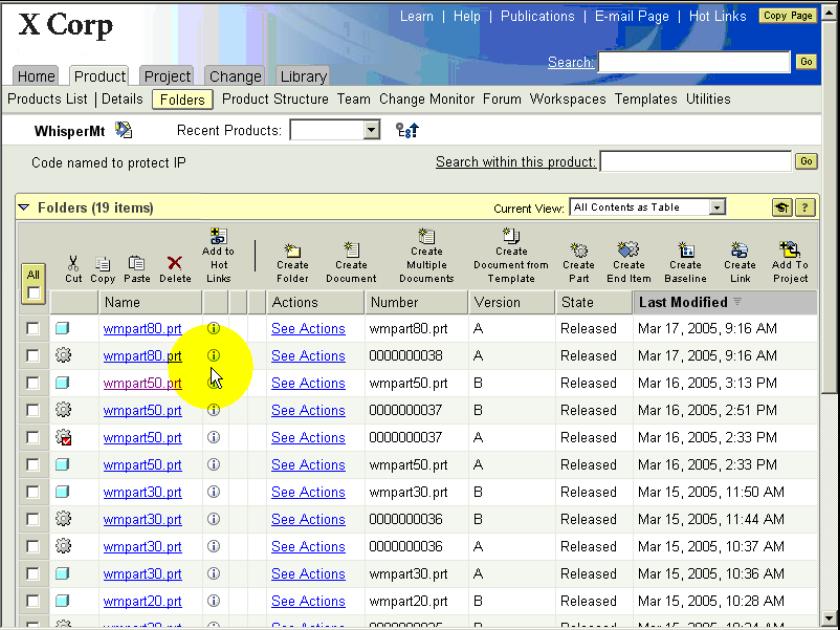
Go To Details Page of Pertinent WTPart (Windchill Technology - Windchill) File/Object:
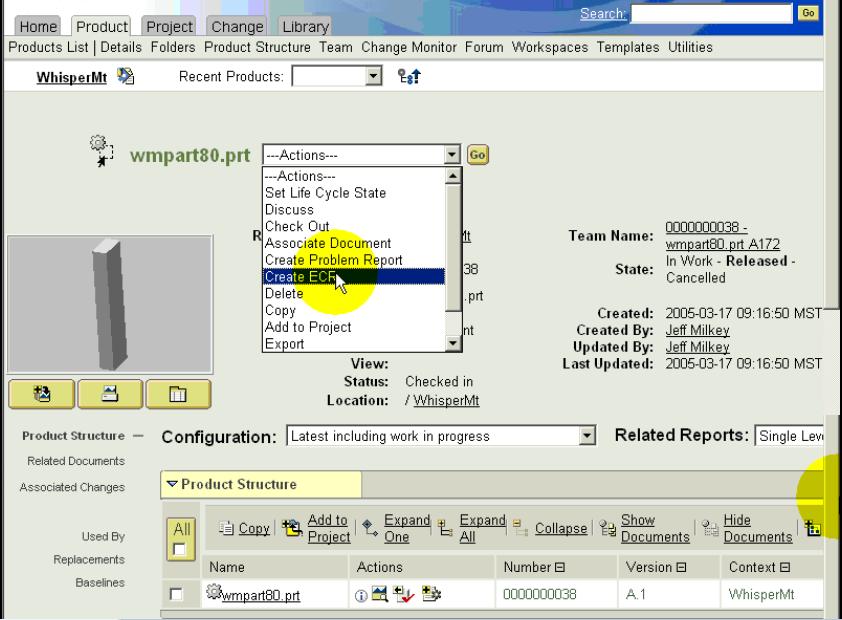
Select "Create Problem Report" or "Create ECR/ECN" from the "Actions" Drop-Down List:
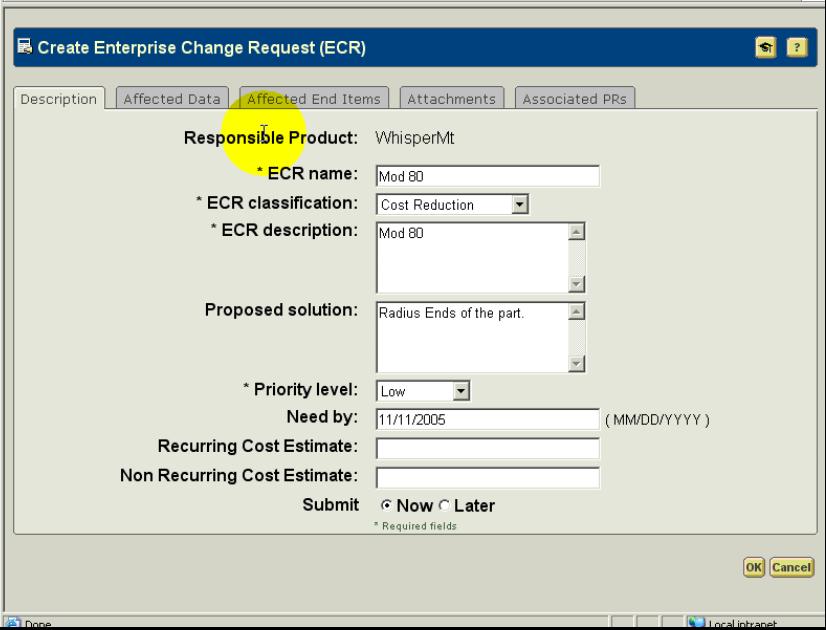
As in ECR Shown, enter data into fields on "Description" Page (Tab):
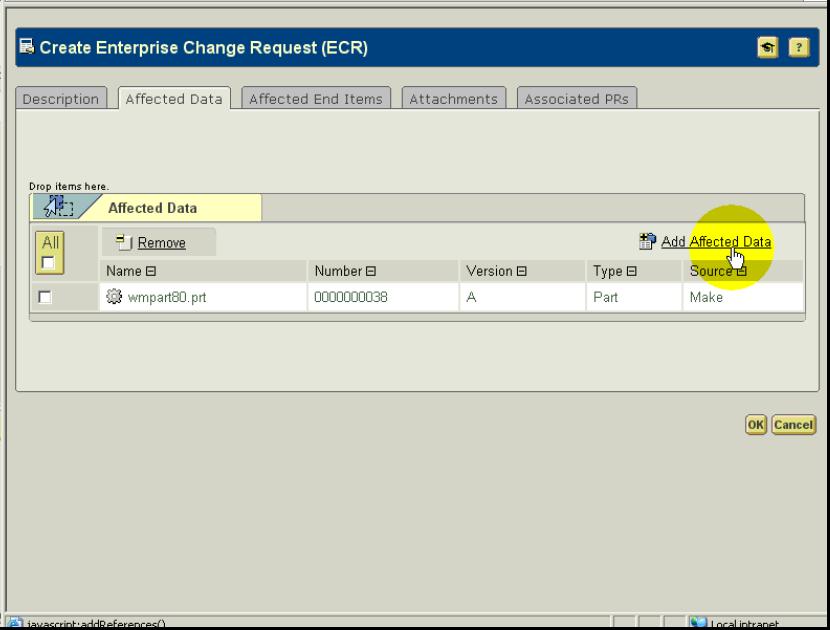
Select "Add Affected Data" link, under "Affected Data" Page (Tab),
to add associated prt/asm/drw (Cad Document - Windchill):
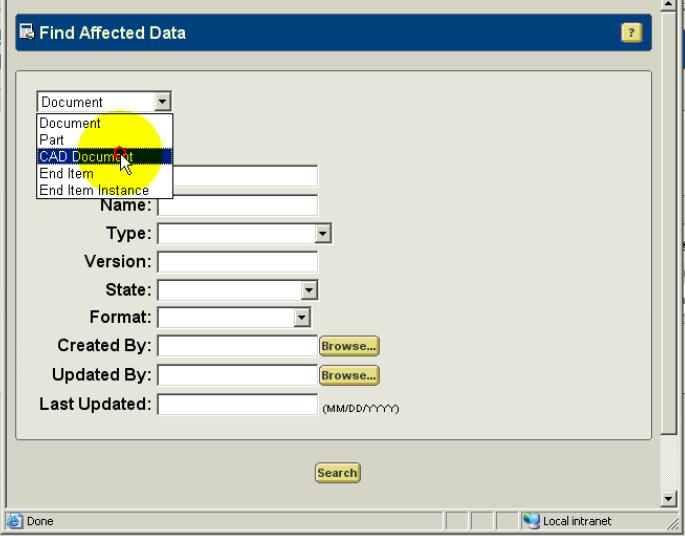
Select "Cad Document" from drop-down in the "Find Affected Data" pop-up page:
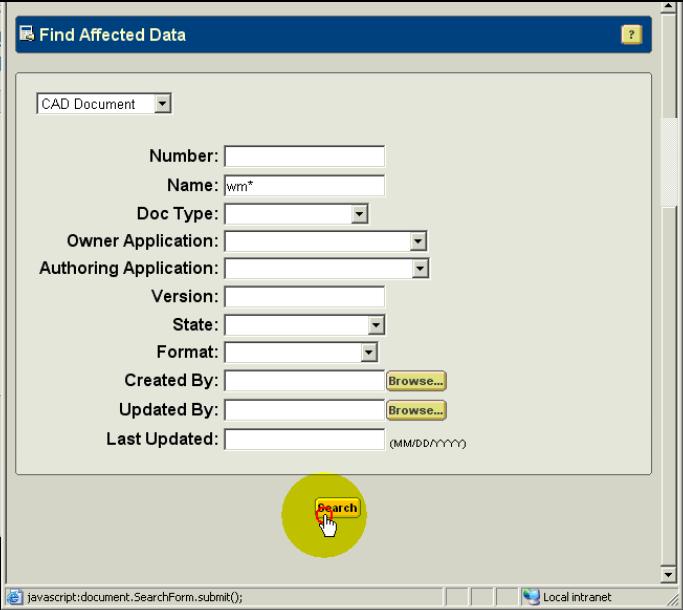
Enter desired Search Criteria (Name in this example) & select "Search" button:
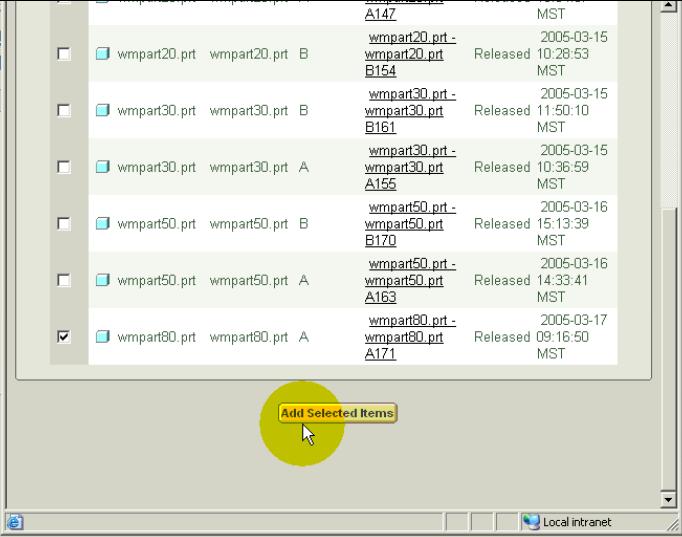
Select Check Box for desired Item to add & then select "Add Selected Items" button:
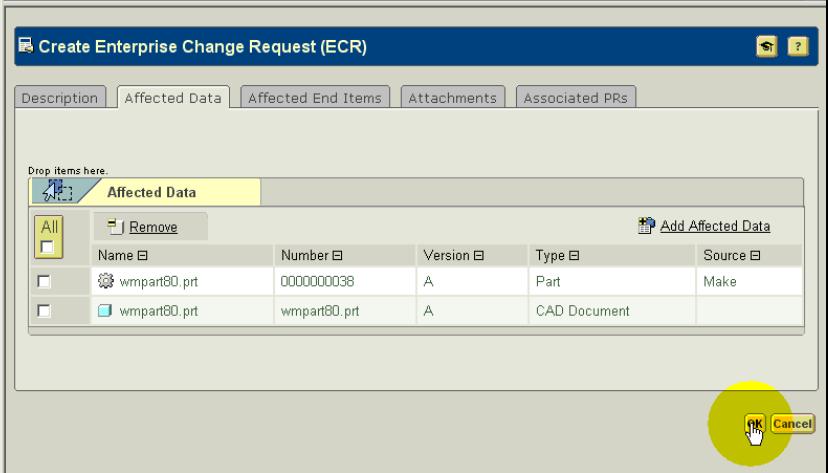
Select "OK" button from the "Create ECR" Page. You can also add other items under the other
offered Tabs ("Affected End Items", "Attachments" or "Associated PRs" [Problem Reports]):
Go To Details Page of Pertinent WTPart (Windchill Technology - Windchill) File/Object:

Go To Details Page of Pertinent WTPart (Windchill Technology - Windchill) File/Object:

Go To Details Page of Pertinent WTPart (Windchill Technology - Windchill) File/Object:

Go To Details Page of Pertinent WTPart (Windchill Technology - Windchill) File/Object:

Go To Details Page of Pertinent WTPart (Windchill Technology - Windchill) File/Object:
